Vectorworks Landmark is a drawing tool from the global design and BIM software provider Vectorworks specifically for landscape architects and designers. The software includes intelligent objects, powerful databases, and flexible documentation features. Landmark streamlines integrated 2D and 3D landscape-specific BIM workflows all in one application.
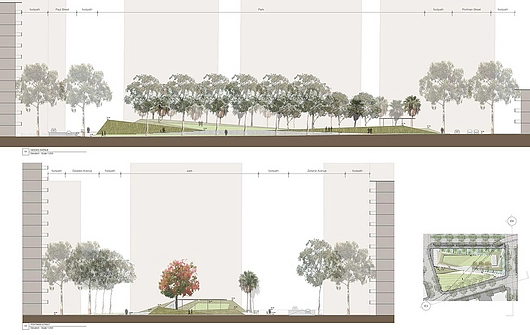
Green Square | Courtesy of McGregor Coxal
Working for Improvement
The latest release of Vectorworks 2026 features comprehensive solutions for improved plans directly generated from 3D geometry, obtaining live sustainability metrics, and improving visual clarity with depth cueing.
Features
| For all designers | - A modernized user interface
- Viewport Styles
- Excel referencing
- Improved Shaded rendering
- New 3D Dragger
- Re-engineered section viewport rendering
- Optimized DWG import/export capabilities
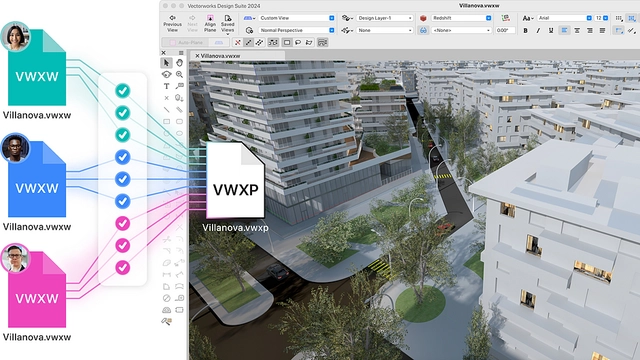
- Simplified file structure
- Depth Cueing that improves visual clarity and presentation quality.
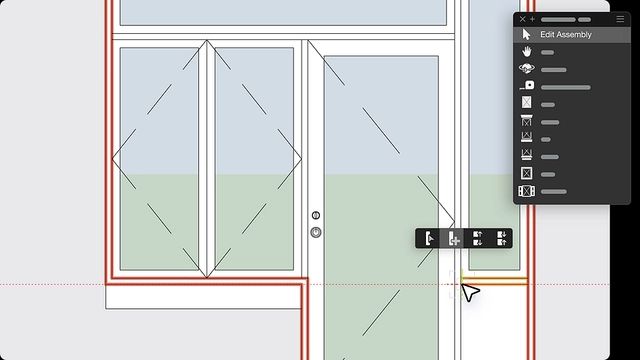
Door, Window, and Wall 2D Detailing allows for generating informed wall plans directly from 3D geometry
A Sustainability Dashboard that provides live metrics |
| For landscape architects and designers | - Automated Fence tool
- Landmark Color Palette
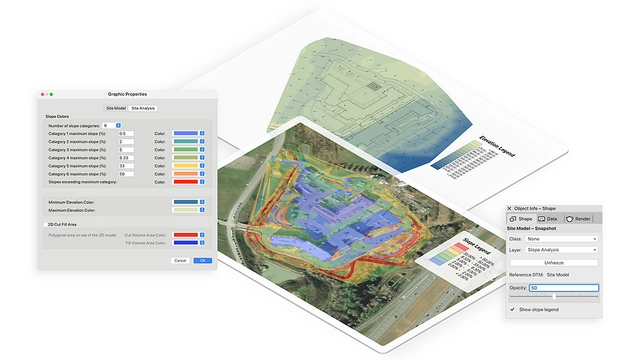
- Legends for Site Model Analysis
|
Building Information Modeling
Vectorworks BIM modeling software has the capability to link drawings, details, models, and schedules. This means that a change in the CAD file is reflected everywhere, saving time that would otherwise be spent manually updating drawings.
The process of Building Information Modeling helps design optimization by:
- Automatically generating schedules and reports
- Calculating construction costs and material takeoffs
- Analyzing terrain for cut/fill, slope, and drainage
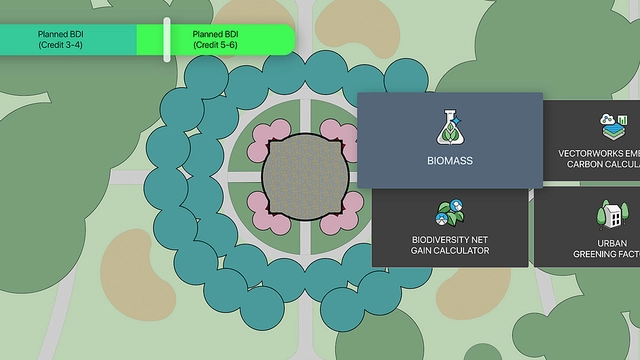
- Evaluating water budgets and tracking sustainability goals, like LEED and SITES projects.
Collaboration and File Sharing
Vectorworks makes it easy to collaborate and share files with colleagues, consultants, and clients. The design software offers the most default import/export capabilities available, as well as support for openBIM and IFC and direct links with several other software:
- Revit®
- SketchUp®
- Rhino®
- Photoshop®
- Cinema4D
Emerging Technology
With technology in landscape modeling advancing rapidly, Vectorworks makes new technologies accessible including:
- AR/VR
- Point cloud
- Photogrammetry
- Cloud services
Sustainability Dashboard
Vectorworks 2026 introduces a centralized Sustainability Dashboard with sustainability-focused tools that provide integrated live metrics, making it easier for architects and designers to deliver environmentally aware projects.
Door, Window, and Wall 2D Detailing
Vectorworks Architect 2026 features Door, Window, and Wall 2D Detailing, allowing granular control over 2D graphics of doors and windows at multiple detail levels. Architects can generate informed wall plans directly from 3D geometry, helping drawings appear as intended without manual workarounds.
Depth Cueing
Depth Cueing helps automatically enhance sections, elevations, and 3D views by adding depth, improving visual clarity and presentation quality. Line weights, tonal values, and pixel transparency adjust dynamically based on object distance in both Hidden Line and Shaded viewports, reducing the need for manual adjustments.
With an extensive suite of drawing, illustration, and rendering tools, Vectorworks allows you to produce remarkable line drawings and 3D presentations.
Vectorworks is part of the Nemetschek Group, a forerunner of digital transformation in the AEC/O industry, and covers the entire life cycle of construction and infrastructure projects.